

Navigating the Windows Client Interface › Menu Bar › Tools Menu › Options (Windows Client Options Wizard) › Agents Page
Agents Page
Use the Agents page of the Windows Client Options wizard to specify which host agents you want to be active and which host agents display at the top of the Object Tree when you activate the Windows Client. The following is an example of the Agents page of the Windows Client Options wizard:
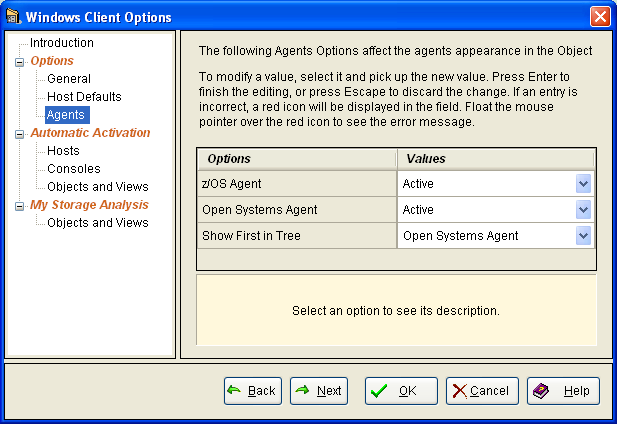
The following options are available on the Agents page of the Windows Client Options wizard:
- z/OS Agent
-
If Active is selected:
- The Object Tree displays all z/OS objects.
- When defining a new host using the Viewer or the wizard, the agent appears in the Agent Name drop-down list.
If Inactive is selected:
- All z/OS agents are inactive the next time you start the Windows Client.
- Open Systems Agent is Active
-
If Active is selected:
- The Object Tree displays Open Systems objects.
- When defining a new host using the Viewer or the Wizard, the agent appears in the Agent Name drop-down list.
If Inactive is selected:
- All Open Systems agents are inactive the next time you start the Windows Client.
- Show First in Object Tree
-
If both the Open Systems and z/OS Agent options are Active, then indicate here which one you want to see displayed first in the Object Tree.
More Information
Options (Windows Client Options Wizard)
General Page
Host Defaults Page
Hosts Page
Consoles Page
Automatic Activation - Objects and Views Page
My Storage Analysis - Objects and Views Page
Copyright © 2013 CA.
All rights reserved.
|
|