

A service provider configures email settings so that requests can automatically send alerts. To send email notifications, configure CA CSDP with your email server and sender information.
The following diagram illustrates how to configure email settings for CA Service Catalog, CA Process Automation, and CA Service Desk Manager (CA SDM).
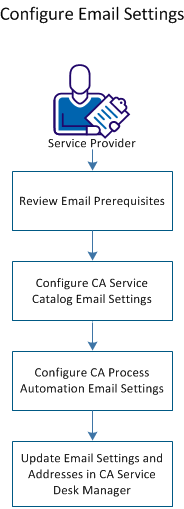
To configure email settings, perform the following tasks:
|
Copyright © 2014 CA.
All rights reserved.
|
|