

Post Deployment › Configure Email Settings › Configure CA Process Automation Email Settings › Configure Catalog Administrator Email in CA Service Catalog Global Dataset
Configure Catalog Administrator Email in CA Service Catalog Global Dataset
The email configuration process includes setting a value for the administrator email in CA Service Catalog. If you do not set the value, the tenant onboarding request remains in the Unicenter Service Desk (USD) Change Order Created state.
Follow these steps:
- Log in to the CA Process Automation with administrator credentials.
- Click Library, CA SLCM to display the contents.
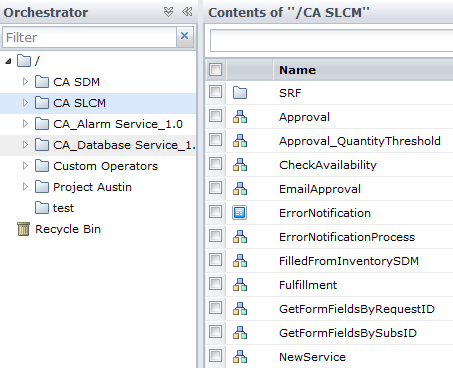
- Double-click SLCM_GlobalDataset.
- Click Check Out.
- Expand the Misc Parameters CHANGE ME folder.
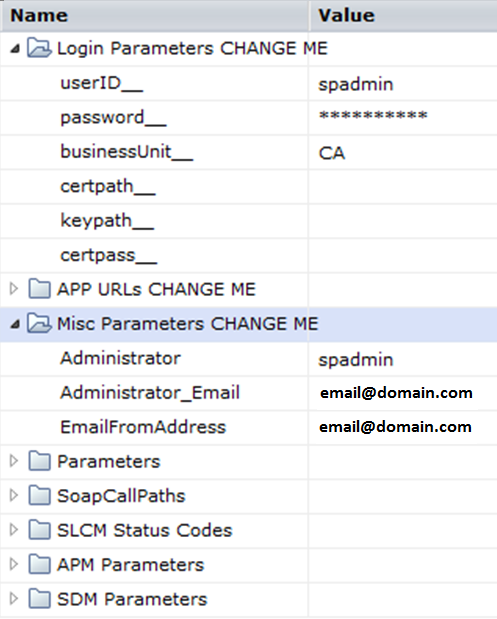
- Provide the email address for Administrator_Email and EmailFromAddress.
- Click Save and Close, Check In.
You have configured the administrator email addresses.
Copyright © 2014 CA.
All rights reserved.
|
|