

Post Deployment › Configure Email Settings › Configure CA Service Catalog Email Settings › Edit Administrator Email ID in CA Service Catalog
Edit Administrator Email ID in CA Service Catalog
The following procedure details how you can update the spadmin email ID in CA Service Catalog.
Follow these steps:
- Log in to the service portal with administrator credentials.
- Click Administration, Users.
A page opens with an option to search by User ID.
- Type spadmin in the User ID field, and click Search.
The Users page opens.
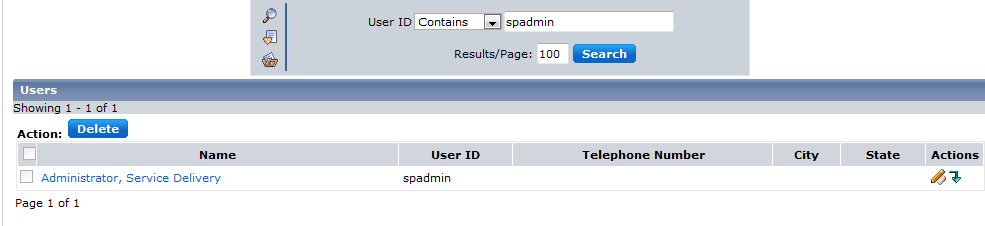
- Select the User ID.
- Click the edit icon in the Actions column.
The Edit User Profile page opens.
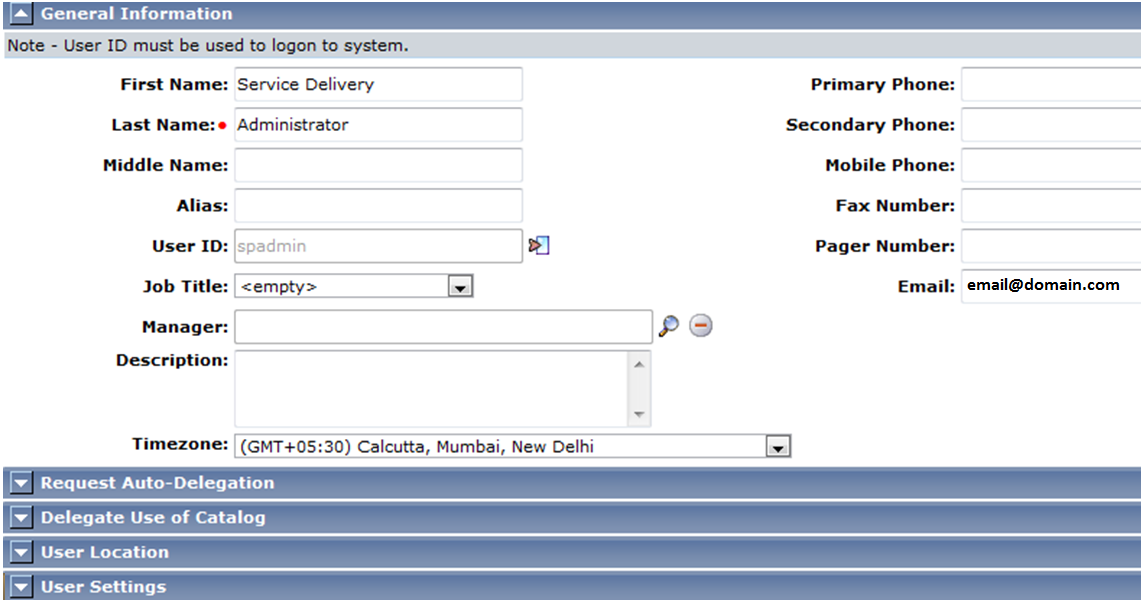
- Edit the Email field and click OK.
You have edited the administrator email address.
Copyright © 2014 CA.
All rights reserved.
|
|