

Automatic email notifications require an update to the mail server settings in CA Service Catalog. Settings include an email address, port, hostname, and user credentials.
Note: A firewall can block port 25, which is typically the default SMTP, and block email notification. Your IT staff can supply your mail server settings.
Follow these steps:
The Configuration page opens with a list of Options.
The list of properties you edit opens.
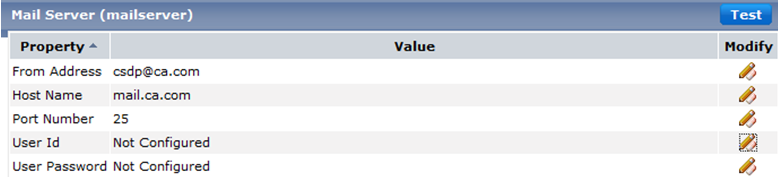
Defines the address that appears in the sender information.
Defines the IP address of your email server the service portal uses to relay emails. The service portal sends email directly to the email server of the recipient using SMTP.
Defines the port number of the email server that CA CSDP can use to send emails with success or failure messages to recipients.
Defines a user ID that can send email from the designated email server.
Defines the password of the user ID that can send email from the designated email server.
You receive a test successful message and the email address that is used in the From Address field receives an email from CA Service Catalog.
You have configured and tested the mail server configuration.
|
Copyright © 2014 CA.
All rights reserved.
|
|