

Integrating with CA Service Desk › How to Configure a CA Service Desk Integration › How to Create Notification Triggers in CA Service Desk
How to Create Notification Triggers in CA Service Desk
As an administrator, you can replace the CA Service Desk Manager polling functionality with notification triggers. These triggers allow CA Service Desk Manager to notify CA SOI when specific ticket-change events occur in CA Service Desk. The notification triggers reduce the previous polling load on the CA Service Desk Manager and increase performance.
Use this scenario to guide you through the process:
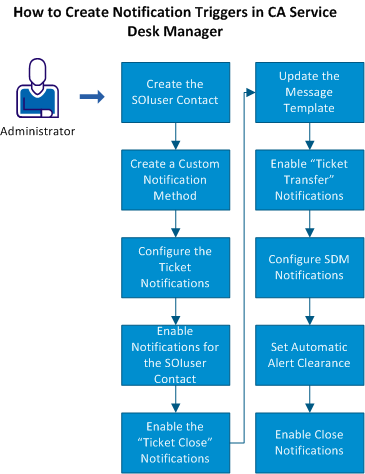
- Create the SOIuser contact on the CA Service Desk server.
- Create a custom CA Service Desk notification method.
- Configure the CA Service Desk ticket notifications that CA SOI receives:
- Enable the notifications for the SOIuser contact.
- Create the SOIuser condition macro.
- Enable the CA Service Desk notifications for the Ticket Close actions.
- Update the message template to send the status.
- Enable the CA Service Desk notifications for the Ticket Transfer actions.
- Configure the CA Service Desk notifications.
- Set automatic alert clearance in CA SOI.
- Enable the close notifications.
Copyright © 2013 CA.
All rights reserved.
|
|