

Integrating with CA Service Desk › How to Configure a CA Service Desk Integration › How to Create Notification Triggers in CA Service Desk › Update the Message Template to Send the Status
Update the Message Template to Send the Status
You now update the Default Close message template.
Follow these steps:
- From the CA Service Desk Manager server home page, click the Administration tab.
- Expand the Notifications folder and click the Message Templates folder.
- Click Show Filter.
- Enter the following text in the Symbol Field and click Search:
Default Close%
- Select the Default Close message template for request/incident/problem.
The Detail window opens.
- Click Edit.
- In the Notification Message Body field, locate the following entry:
Description: @{call_req_id.description}
- Add the following text after the Description entry:
Status: @{call_req_id.status.sym}
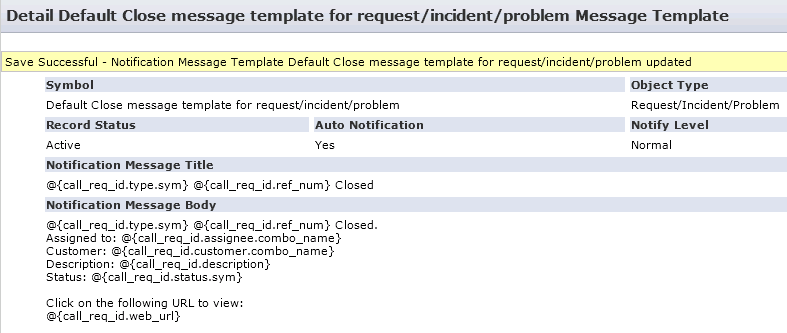
- Click Save.
- If you are using the Closed_Requested status code, then perform Steps 1 -9 for the Default Close Requested message template for request/incident/problem.
Copyright © 2013 CA.
All rights reserved.
|
|