

The DSM Explorer › Control Panel › Configuration Folder › Configuration Policy › Default Computer Policy (or User-Defined Policy) Node › Agent Policy Group › Common Agent Policy Group › Common Policy Group (Common Agent) › How to Enable and Configure Location Awareness
How to Enable and Configure Location Awareness
As an administrator, your responsibility includes creating location awareness policy. You can configure the computer to report to an appropriate scalability server when it detects a change in location. You can apply the location awareness feature to a policy on the DSM Agents to allow the computer to evaluate the location awareness rules.
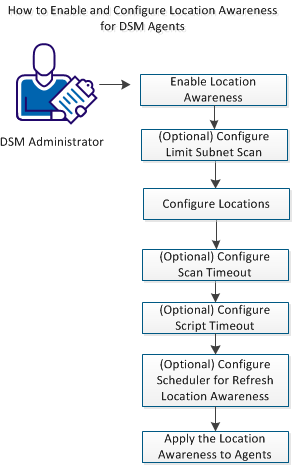
Follow these procedures:
- Enable Location Awareness
- (Optional) Configure Limit Subnet Scan
- Configure Locations
- (Optional) Configure Scan Timeout
- (Optional) Configure Script Timeout
- (Optional) Configure Scheduler for Refresh Location Awareness
- Apply the Location Awareness to Agents
Copyright © 2013 CA.
All rights reserved.
|
|