

When you install the Release 1.6 solution, a few services, service options group, and forms get affected; in some cases report objects are modified.
Note: You can install the latest release of the service cartridge directly without installing its previous versions.
The following diagram shows how you can upgrade CA Automation Suite for Clouds with the service cartridge:
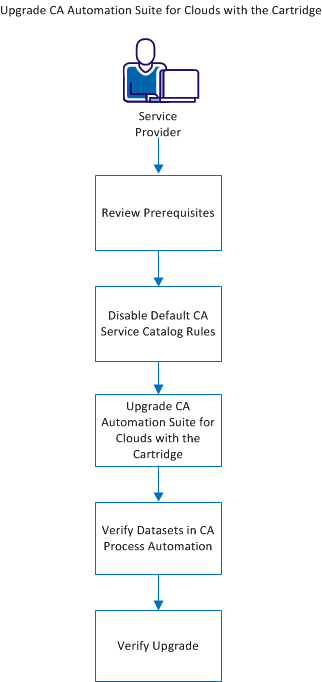
Perform the following tasks:
|
Copyright © 2013 CA.
All rights reserved.
|
|