

CA Service Catalog lets you create and maintain a catalog of IT services, for example, for hardware, software, or virtual resources. On each CA Service Catalog computer, you upgrade all product components:
The base files are required to install and run the CA Service Catalog components successfully. The base files include code for CA Service Catalog, CA Technologies licensing code, Java Runtime Environment (JRE), and other third-party software.
Catalog Component enables you to create and maintain services in a catalog.
Note: Service View was a component in past releases, but is no longer a component. Its functions are now included in the Catalog Component.
Catalog Content supplies the predefined services in the catalog.
Accounting Component provides billing and chargeback for the services that users request from the catalog.
When you upgrade CA Service Catalog, the product database is upgraded. The database upgrade automatically includes any required updates to the CA Management Database (MDB).
The following graphic illustrates how to upgrade CA Service Catalog:
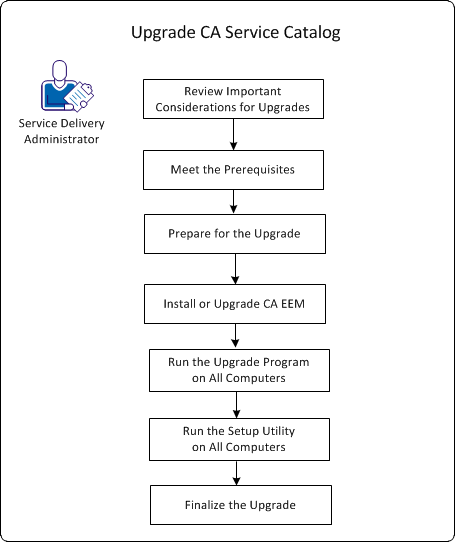
To upgrade CA Service Catalog, follow this process:
This task includes updating the base files.
This task Includes setting up the database, CA EEM, and the product components.
You have upgraded CA Service Catalog.
|
Copyright © 2013 CA.
All rights reserved.
|
|