

Assess the Hardware Status › Assess and Recover RAID Degradation › Rebuild an Array
Rebuild an Array
Applies to CA6000 and CA6300 appliances
Rebuild an array to restore its status to Optimal with all of the disks that are currently available and detected by the RAID controller.
Estimated time to rebuild an array: 6-12 hours
Follow these steps:
- Restart the appliance.
- If the terminal display indicates an array is in a Degraded state, choose an option:
- When prompted, press Enter within 30 seconds to have the controller initiate a rebuild of the array.
- Press Ctrl+A to access the Adaptec RAID Configuration Utility. Note that when you exit the utility, the appliance restarts and returns to the 30 second prompt.
The appliance continues to operate in its Degraded state unless you press Enter within the 30-second window. If you miss this window, restart the appliance again to perform a Rebuild operation on the array.
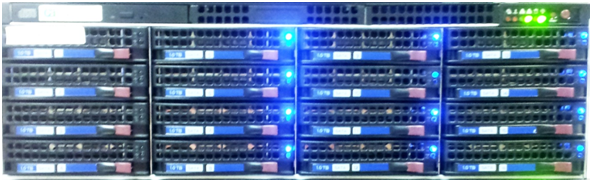
All of the drives that are part of the array are lit during the rebuild. If a physical drive is not available, the rebuild removes the drive from the array and the drive light is not lit.
- When the array rebuild completes:
- On the System Status page of CA Multi-Port Monitor web interface, under the RAID section, the array status should return to Optimal.
- The drive lights are no longer continuously lit.
If the CA Multi-Port Monitor is configured to send SNMP traps, a SNMP trap is sent when the array rebuild completes.
- Verify the drives that are seen by the RAID array controller. For any drives that are no longer present in the array, recovery of individual drives is attempted as part of the verification process.
- Repeat these steps to rebuild the array with any recovered drives. If drives cannot be recovered, contact CA Support for assistance.
For more information about the Adaptec RAID Configuration Utility for the CA6300, see the Adaptec RAID Controller Installation and User's Guide, which can be downloaded from http://www.adaptec.com/en-us/support/raid/sas_raid/sas-7805q/
More information:
Shut Down or Restart the Appliance
Recover a Failed Drive - CA6300
Copyright © 2015 CA Technologies.
All rights reserved.
|
|