Previous Topic: Establishing the ConfigurationNext Topic: Step 2: Exporting the Configuration to a File


Step 1: Creating the Configuration

To create the configuration
  1. Decide what system you want as the primary host, and what system you want as the secondary host.
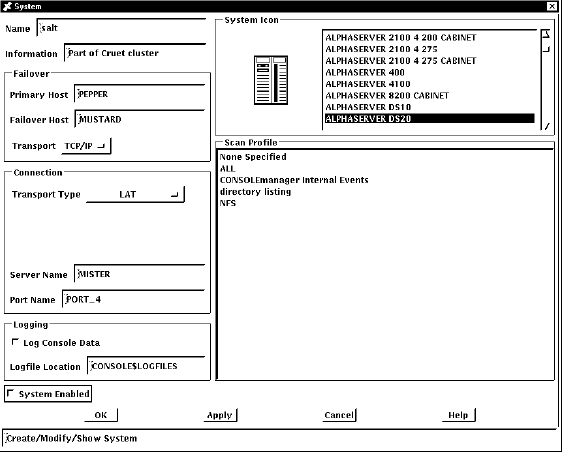
  2. Define or modify the system definition to specify the primary and secondary hosts for each serviced system:

    Ch 3-1

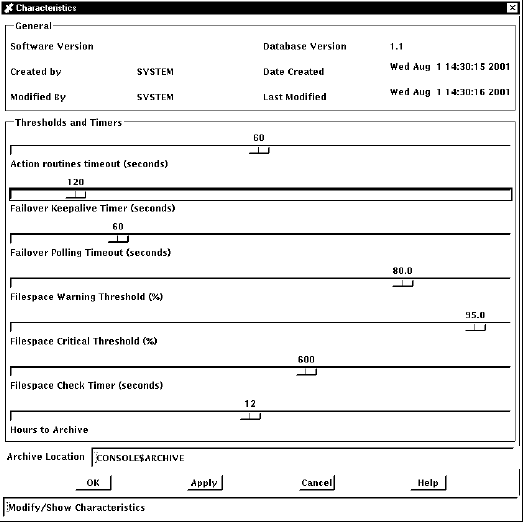
  3. Set characteristics for failover:

    Failover keep-alive timer specifies the polling frequency. Under normal circumstances, polling occurs using this frequency. The default is 120 seconds. When a poll fails, the polling interval decreases to half the keep-alive timer value.

    Failover polling timeout is the number of seconds after which poll requests time out if they do not receive a response. The default is 60 seconds.
    Ch 3-2

  4. Create scans, filters and actions you require to handle failover events. For more information on creating scans and filters, see the chapter Setting Up the ENS Components.

TCP/IP is the transport supported for polling between the secondary and primary hosts.