

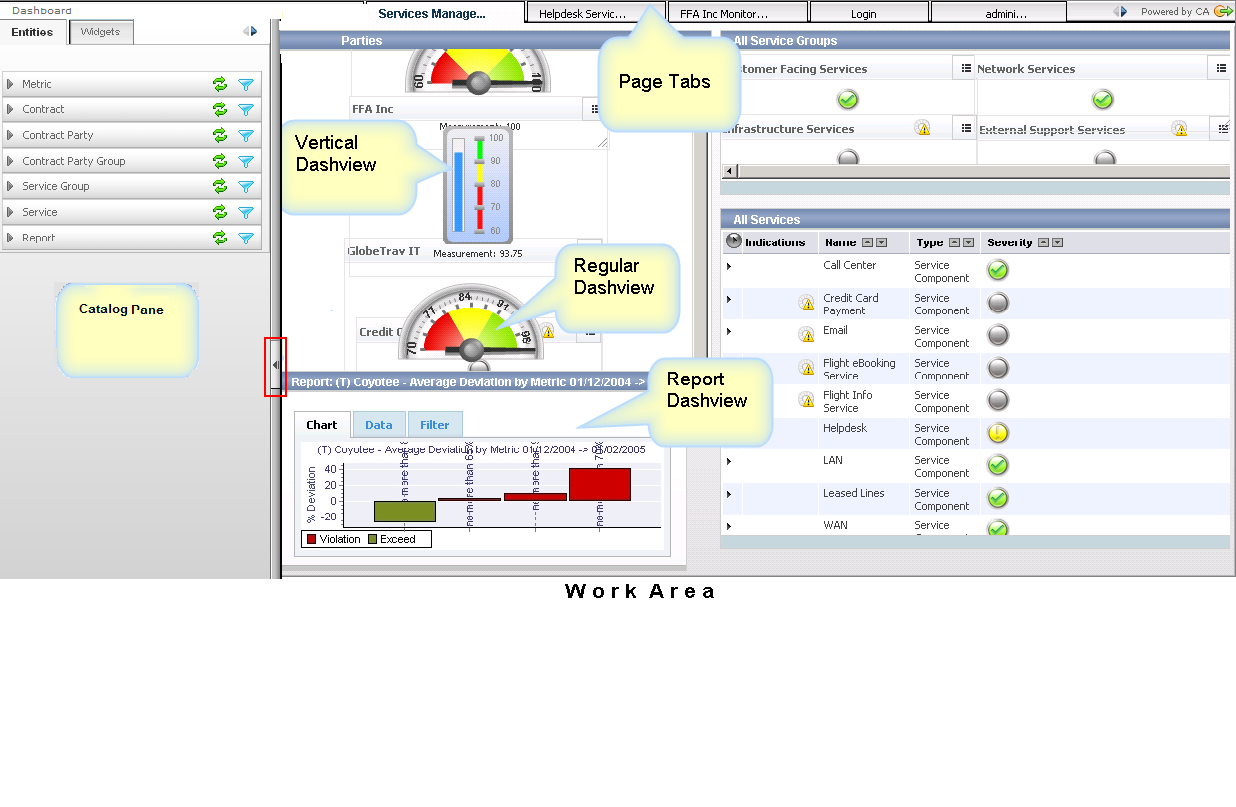
The Dashboard includes four main elements:
A repository of CA Business Service Insight entities, widgets and dashviews that can be placed on a page.
An area where pages are shown and organized.
Used to compose the work area. The page allows you to organize and display information in the Dashboard and to collaborate with other users. The page contains the dashviews.
Used to organize and display multiple widgets on a page.
A graphical control that represents an CA Business Service Insight object (Contract Party, Contract, Service, or Metric) or a custom made object (such as a Custom Widget). A widget portrays the severity of the object using color-numeric scales of various shapes. See Dashboard and Widgets Overview for an explanation or go to Administration, Site Settings, Advanced, Dashboard, General, Thresholds Strictness to set it.
|
Copyright © 2013 CA.
All rights reserved.
|
|