

|
|
|
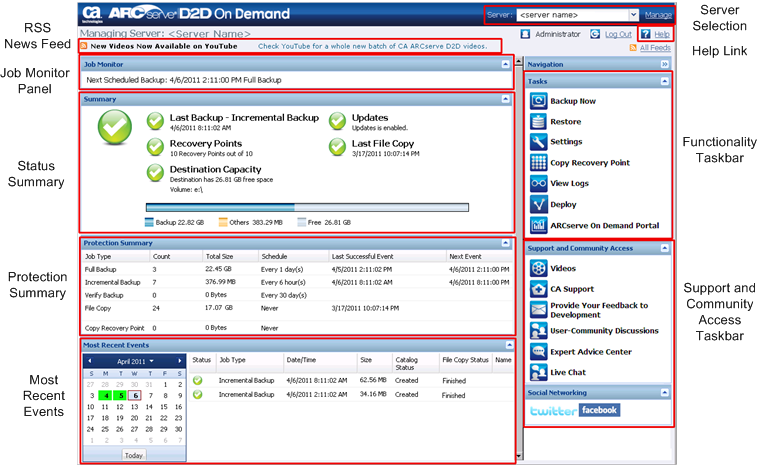
Before you use CA ARCserve D2D On Demand, you should be familiar with the related home page interface. The CA ARCserve D2D On Demand interface lets you manage backup servers and workstations, monitor job performance, obtain backup statistics, initiate data protection tasks, socialize with the user community, and get help, all from a single, easy to read home page. The home page interface can be accessed from either the Start menu or from the CA ARCserve D2D On Demand Monitor.
|
|
||
|
CA Support: |
||
|
YouTube: |
||
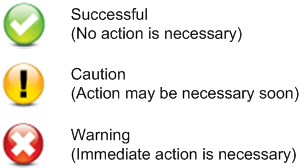
The CA ARCserve D2D On Demand home page displays various icon symbols to provide a quick visual indication of the current status, along with a guidance for the urgency of any actions may need to be taken.
The CA ARCserve D2D On Demand home page consists of the following sub-sections:
| Copyright © 2012 CA. All rights reserved. | Tell Technical Publications how we can improve this information |
