

|
|
|
From the home page, you can view the name of the CA ARCserve D2D On Demand server (or workstation) you are managing or select a server to manage from the Server selection list. The Server drop-down list lets you quickly and easily manage or view the status of these servers. After CA ARCserve D2D On Demand is installed on a server, you can then further deploy it to remote servers from the CA ARCserve D2D On Demand UI.
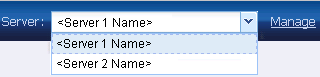
Servers are automatically added to the Server selection list when you successfully deploy CA ARCserve D2D On Demand to a remote server. In addition, you can also manually add/delete a server to/from the Server selection list using the Manage link on the home page. For more information, see Manage Server Selection List.
| Copyright © 2012 CA. All rights reserved. | Tell Technical Publications how we can improve this information |