

|
|
|
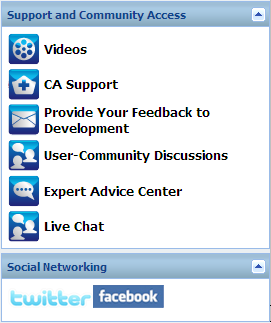
The Support and Community Access taskbar section of the home page provides a means to initiate the various support-related functions.
To avoid any delays in response and help ensure that your communication is routed to the proper destination, it is important to know and understand which of these sites are used for which functions.
For example:
Provides access to view various CA ARCserve D2D On Demand-related videos. These videos are for basic CA ARCserve D2D On Demand features and procedures. You can specify the default preference for accessing and viewing these videos from either YouTube or CA Support. For more information about setting your default viewing preference, see Specify General Preferences.
Provides access to "One Stop Support" from where you can resolve issues and get important product information.
Provides access to the CA ARCserve D2D On Demand Development team (using the Get Satisfaction website) from where you can view Frequently Asked Questions, ask your own questions, share ideas, and report any problems.
Note: Available in English only.
Provides access to interact with the CA ARCserve D2D On Demand online community and be part of the CA ARCserve D2D On Demand User Group. This group allows you to share your CA ARCserve D2D On Demand experiences with other users.
Note: Available in English only.
Provides access to the ARCserve Expert Advice Center which is a convenient landing page from where you can then access Tips and Tricks from the CA ARCserve D2D On Demand Development team (blogs), product information, group discussions, official CA Support, and other valuable CA ARCserve D2D On Demand-related information.
Provides access to Twitter and Facebook for CA ARCserve D2D On Demand-related social networking.
If you do not want to display these social network links on the home page, you can specify this preference. For more information about setting your social network display preference, see Specify General Preferences.
Provides real-time monitoring and live help/support. Lets you optimize intelligent conversation between you and the CA ARCserve D2D On Demand Technical Support team, allowing you to address your concerns and questions immediately, while still maintaining access to the product. Upon completion of the chat session, you can send a transcript of the chat to your email address.
Note: You may need to add the Live Chat link to your Trusted sites.
| Copyright © 2012 CA. All rights reserved. | Tell Technical Publications how we can improve this information |