

The Host Definition dialog lets users define all the necessary host definition information using a single dialog. The fields available in the Host Definition dialog varies, depending on whether the Host being added is an Open System host or a z/OS host.
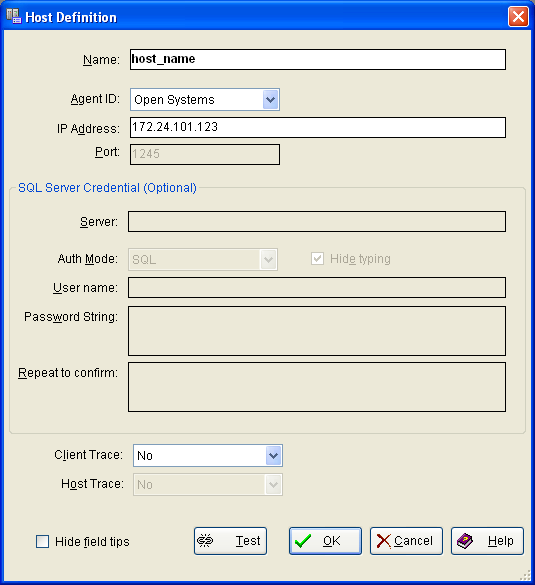
When adding a new Open Systems host definition, only the Name and IP Address fields are available. When adding a new Open Systems host definition the system gets credentials from the SQL server associated with the host based on the information provided in these fields. The following example shows the Host Definition dialog when defining a new Open Systems host:
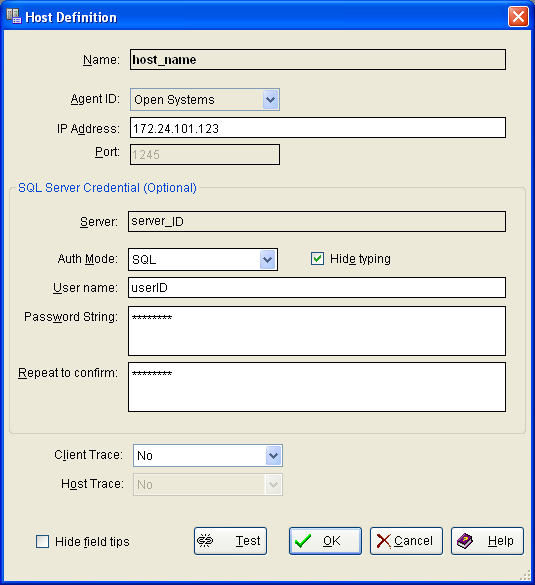
When modifying an existing Open Systems host definition, the SQL server credential fields are available for changes. These fields are the Auth Mode (drop-down list), User name, Password string, and Repeat to confirm (password) fields. The following example shows the Host Definition dialog when modifying an existing Open Systems host:
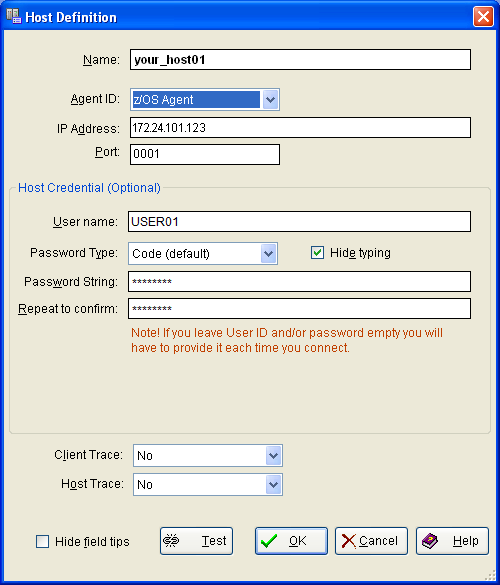
The z/OS version of the Host Definition dialog, shown in the following example, includes login and password information to automate the mainframe login process.
|
Copyright © 2010 CA.
All rights reserved.
|
|