

CA Service Catalog lets Service Delivery Administrators create and maintain a catalog of IT services, for example, for hardware, software, or virtual resources. The catalog includes predefined services, and you can create your own services. Users browse the catalog and request the services that they want. You can optionally use Accounting Component to provide billing and chargeback for the requested services, and to perform other financial tasks.
When you install CA Service Catalog, you install the product database. This database includes the CA Management Database (MDB). The MDB is the common, shared database for your CA Technologies products. The MDB provides the database schema for CA Service Catalog and other CA Technologies products.
Important! If you have copied the installation media to a network share, map a drive letter to this share. This mapping is required because a batch file runs as part of the installation, and a batch file cannot run from a UNC path.
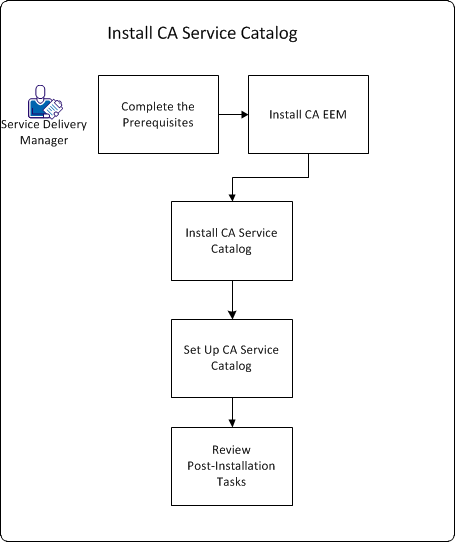
To install CA Service Catalog, follow this process:
Alternatively, you can use an existing installation of CA EEM.
Note: We recommend that CA Service Catalog and all CA products that integrate with it share the same installation of CA EEM.
On each computer, follow this process:
You use the setup utility to set up the database, CA EEM, and the CA Service Catalog components, as follows:
You have installed CA Service Catalog.
|
Copyright © 2013 CA.
All rights reserved.
|
|