

Examples
The following topics explain how to use start request operations with the Catalyst Execute operator.
QueryStartRequestForms
To query start request forms, use the QueryStaonrtRequestForms operation.
Follow these steps:
Username: (Catalyst user name)
Password: (Catalyst password)
Claims:
ClaimName: Username
ClaimValue: pamadmin
PasswordClaims:
ClaimName: Password
ClaimValue: pamadmin
CatalystBrokerURL: https://hostname:7443/ucf/BrokerService
MdrProduct: "CA:00074 (CA Process Automation)"
MdrProdInstance: "CA:00074:01"
Operation Category: "CA Process Automation"
Operation: QueryStartRequestForms
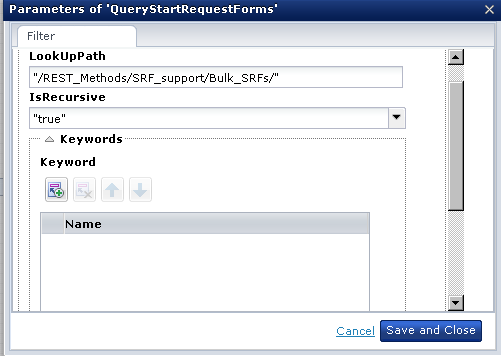
LookUpPath: Defines the path to query for start request forms. In this example, we are querying for start request forms in the "Bulk_SRFs" parent folder.
IsRecursive: true
Keywords: Defines one or more keywords (such as run, queued, and complete) with which to query start request forms.
You can also conduct a query without keywords, as in the following illustration:
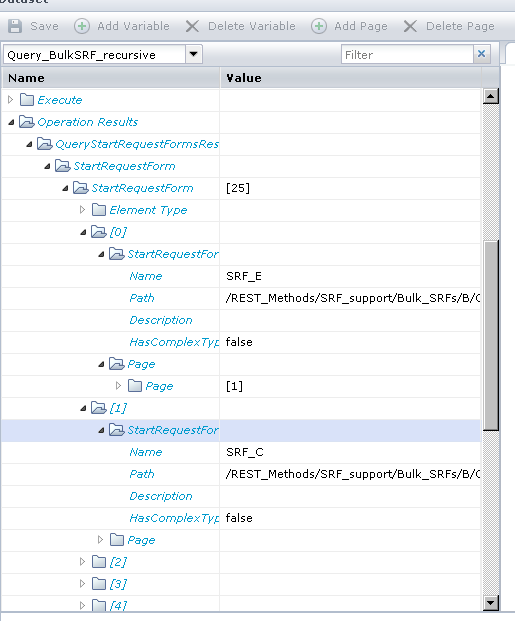
For example, in the following illustration there are 25 start request forms (with variables) from the provided LookUpPath:
|
Copyright © 2014 CA.
All rights reserved.
|
|