Tracing Packets › Packet Trace Example
Packet Trace Example
This example shows the packet trace for a Telnet connection. The following process shows you how to trace the packets:
- Enter /CONNT, and specify the criteria for the Telnet connections you want to list.
- Enter PT next to a connection to start a trace.
- Enter PTV next to the traced connection to view the trace. Depending on the traffic, you may need to wait for packets to be collected.
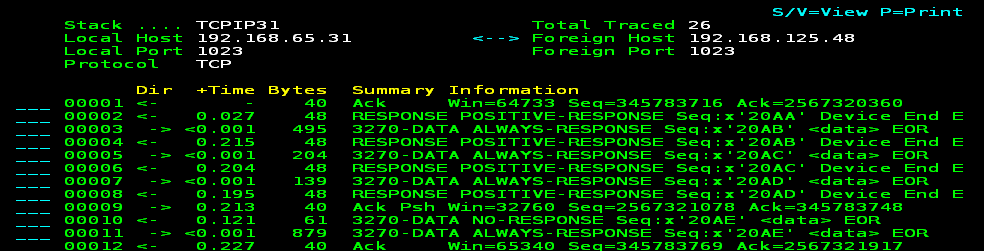
You can press F11 (Right) to display more packet information. As shown in the trace, some packets are decoded.
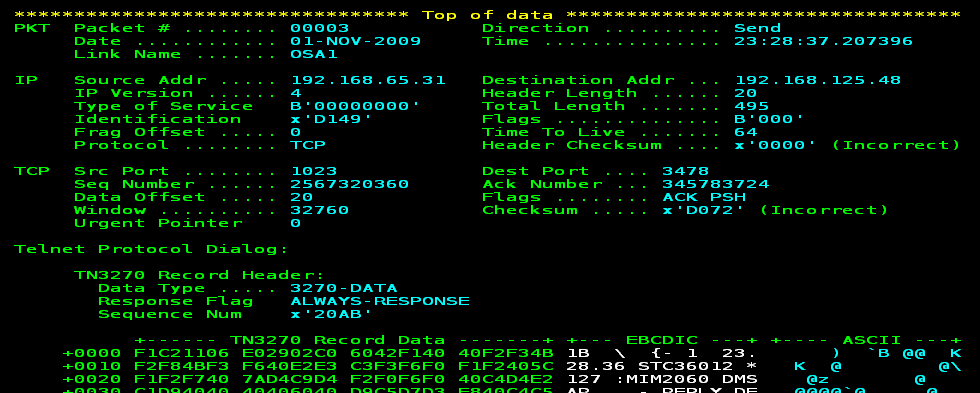
- Enter S next to a packet to display the details and contents of the packet.
More information:
How You Diagnose EE Using SmartTrace
How You Diagnose DDF Using SmartTrace
|
Copyright © 2012 CA.
All rights reserved.
|
|

