

The target record is the record that you ultimately want to access. Once you create a path to the target record, you can update, delete, and insert target record occurrences. In the EMPEMPT example, the target record is the EXPERTISE record. The Target Record tab is the same as the Path Record tab and appears when you select the Target button in the Entry Record or Path Record tabs.
To create a target record
In the following screen, the target record is EXPERTISE and the unique key for the record is SKILL-LEVEL-0425. The remaining fields in the EXPERTISE record are the target fields:
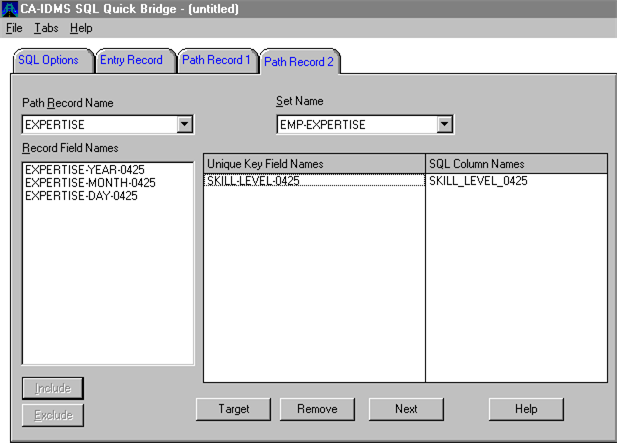
These fields are the non-unique key fields in the target record. Note that the SQL column names have been edited because the name cannot exceed 18 characters.
|
Copyright © 2013 CA.
All rights reserved.
|
|