

This section describes the steps required to define a table procedure specification using the Quick Bridge tool. They are:
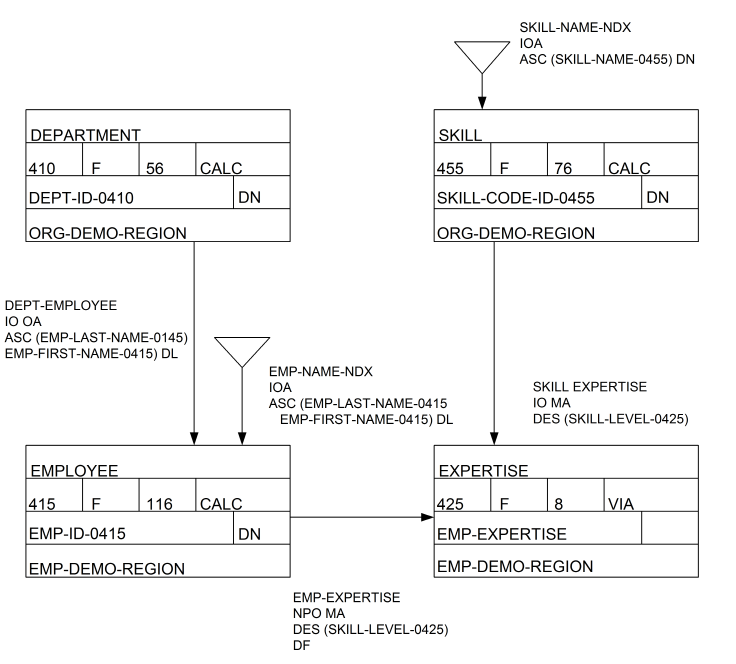
To follow along using the Commonweather demo database installed with CA IDMS, create a data source that connects to the EMPSS01 subschema of EMPSCHM version 100. The table procedure specification that you will create in this section uses the DEPARTMENT, EMPLOYEE, EXPERTISE, and SKILL database records.
The database diagram following displays these records and their set relationships as defined for the Commonweather demo database:
|
Copyright © 2013 CA.
All rights reserved.
|
|