

The text editor preferences settings affect the display and behavior of PAD Code View text editors.
Follow these steps:
The Preferences dialog appears.
The Text Editors Preference page appears.
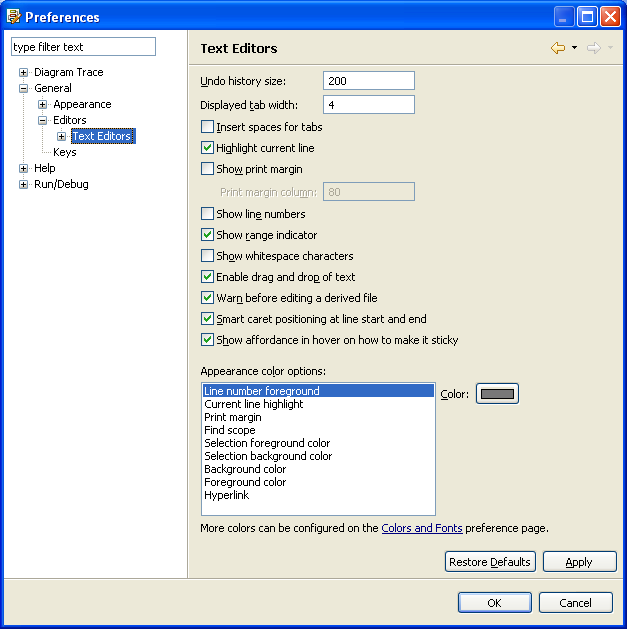
Highlights the current line in text editors.
Default: On
Displays the print margin.
Default: Off
Lets you specify the print margin column.
Default: 80
Note: This field is enabled if you select Show print margin.
Displays line numbers on the left side of text editors.
Default: Off
Lets you specify the color for the following values:
The Diagram Trace Utility saves the new settings and closes the dialog.
Note: The Diagram Trace Utility does not support use of the Undo history size, Displayed tab width, Insert spaces for tabs, Show range indicator, Enable drag and drop of text, Warn before editing a derived file, Smart caret positioning at line start and end, or Show affordance in hover on how to make it sticky. Also, the Diagram Trace Utility does not support the Selection foreground color option or Find scope in the Appearance color options list.
|
Copyright © 2013 CA.
All rights reserved.
|
|