

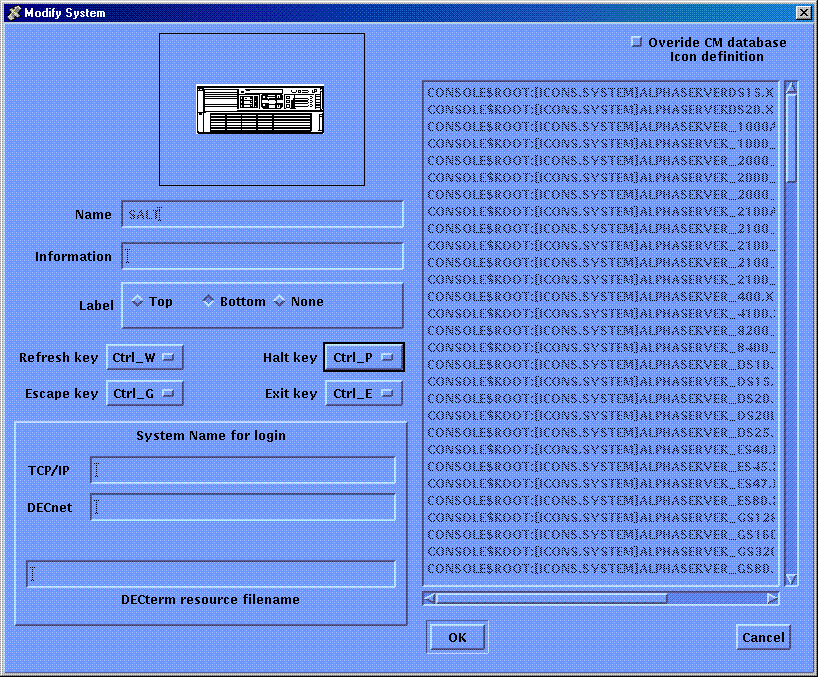
You can redefine the default control keys shown in the following table if you wish.
If you do redefine the keys, you need to repeat the process each time you use the monitor command, as changes made to key definitions are not stored. Alternatively, use the initialization facility described in the section, Customizing the Monitor and Connect Interfaces, earlier in this chapter.
|
Control Key |
Default |
Default Action |
|---|---|---|
|
Exit |
CTRL_E |
Takes you out of the connect interface and returns you to the command line. |
|
Escape |
CTRL_G |
Disconnects your session from the serviced system's console and returns you to the monitor interface, where all the monitor interface commands are available. |
|
Halt |
CTRL_P |
Sends the halt sequence or break signal to the serviced system |
|
Break |
CTRL_P |
Sends the halt sequence or break signal to the serviced system. |
|
Refresh |
CTRL_W |
Repaints the screen after an interruption. |
For example, to change the defined Exit key from CTRL_E to CTRL_A, on system pepper:
Note: Each control key must have a different value. If you attempt to set a control key to the same value as one already defined, the control key has no definition.
|
Copyright © 2010 CA.
All rights reserved.
|
|