

The Input toolbar enables editing the structure of the Input table that contains the data retrieved from data source (i.e. how a data row is to be cut into fields and what are the field types and formats). Initial data filtering and data manipulations may be performed in this section by using the validation and compound fields respectively.
In the Input toolbar:
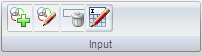
 to add a compound field. For more information, see Add Compound Fields.
 to edit the compound field. For more information, see Add Compound Fields.
 to delete an input field.
 to rename the input table.
|
Copyright © 2012 CA.
All rights reserved.
|
|