

Built-in Controls Properties
The ToolBox pane holds the available controls for the data loading form and the Properties pane is used to set properties for each control. The available controls and their properties are listed below:
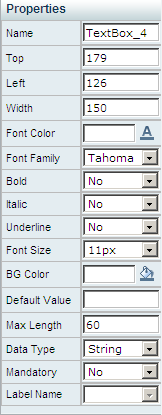
 - A text box control with the following properties:
 - A drop-down list control with the following properties:
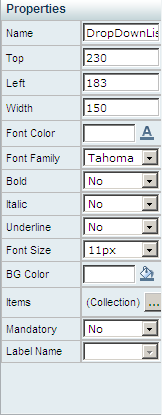
The list of items under this control can be set by clicking  and selecting:
Click Add New Item to add items and values to the control.
Click  to update the control with the items and their value.
Click Save. The control is saved with the new items and the workspace is displayed.
Click Select Data Source. The Data Source Configuration Wizard is displayed.
Follow the wizard steps and click Finish. The Data Source Configuration window is displayed.
Note: The query is performed from the web server, however an access to the database from the client is required in order for the query builder to work.
Select a data field to be displayed in the control once the form is ready for use.
Select a data field for the value of the control.
Click Save. The control is saved with the new items and the workspace is displayed.
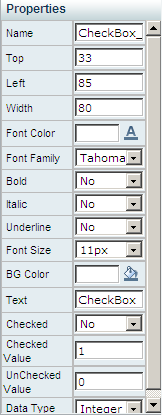
 - A check box control with the following properties:
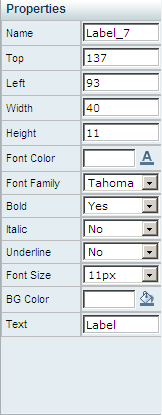
 - A label control with the following properties:
 - A radio button control with the following properties:
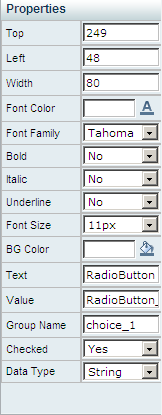
 - A date-time picker control with the following properties:
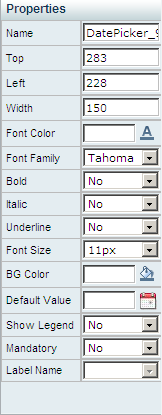
 - A text area control with the following properties:
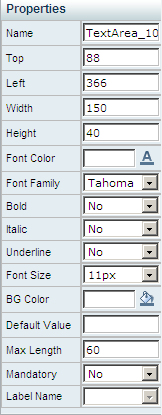
 - A table control with the following properties:
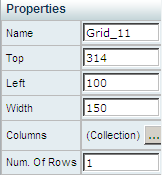
in the Columns property to set columns for the table. The Table Columns Editor window is displayed.
Note: The available column types for The Table control are: TextBox, DropDownList, DatetimePicker and CheckBox.
|
Copyright © 2012 CA.
All rights reserved.
|
|