

Output Toolbar
The Output toolbar allows to specify how to translate the parsed and manipulated data source record extracted in the Input table to the CA Business Service Insight event.
When Mode (in the General tab of the General step) is set to Online, the CA Business Service Insight event has a unified structure that contains the following fields:
The field values can be set directly from the input or can be created by translating a value in the input using translation tables. In addition it is possible to create the value of fields using constant values.
The Output table also defines the way the adapter handles duplication in sent events. According to a key definition, you can select between always adding the new event while ignoring duplications, ignore new event in case of duplication or update the existing event with the new event details in case of duplication.
In the Output toolbar:
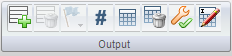
 to add an output table.
 to delete the output table.
 to create a new event type or change the selected event type to another.
-OR-
 to set the output field as a constant.
 to set the translation table. For more information, see Setting Translation Table.
 to clear the current translation table definitions.
 to set output criteria. For more information, see Output Criteria.
 to rename the input table.
|
Copyright © 2013 CA.
All rights reserved.
|
|