

The AWS Amazon Machine Image to Management Database (AMI2MDB) synchronization tool is provided to customers to maintain a current list of AMIs in the local MDB. Install and configure the AWS AMI2MDB synchronization tool to run as a scheduled task.
Note: The account synchronization step is possible after at least one master account is created in the ASC AWS Manage Master Accounts Service in the CA Service Catalog. This tool uses the account information for each master account to download and populate the MDB with both public and private AMIs from Amazon.
Follow these steps:
%USM_HOME% \filestore\contentpacks\CA ASC Amazon Web Services\bin\ SyncAMI
The folder contains the following files:
Specifies the batch file that is used to encrypt and save the MDB password.
Specifies the properties file that contains the application resource path information.
Specifies the Windows-executable file that wraps the main executable JAR file.
Specifies the file that contains credentials for AWS and MDB database connections.
Specifies the main exported executable JAR file that contains all the business rules for this application.
Note: Accept the default DB Password.
The encrypted password is in the configuration file sync_props.xml.
Once the AWSSync.bat is run, it can take between 15-45 minutes to download the AMIs.
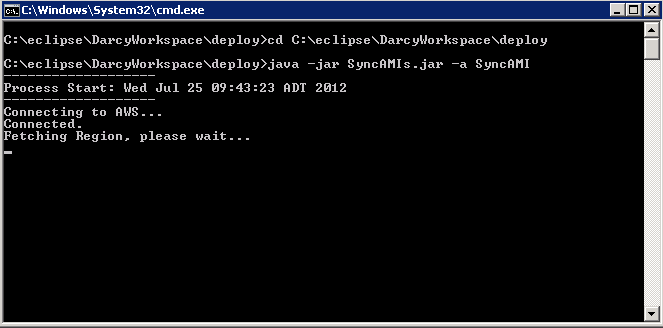
The synchronization process starts.
After the process completes, you can analyze the results by querying the MDB database. Run the following query to get the results of the processed AMI records:
USE mdb;
SELECT
SyncLog.TotalAMIsProcessed as TotalProcessed,
SyncLog.AMIsInserted as TotalInserted,
SyncLog.AMIsUpdated as TotalUpdated,
SyncLog.SecondsElapse / 60 as MinutesElapsed,
AZ.Name as Region,
SyncLog.SyncToken as SyncToken,
CONVERT(VARCHAR, SyncLog.StartDateTime, 109) as StartTimestamp,
CONVERT(VARCHAR, SyncLog.EndDateTime, 109) as EndTimestamp
FROM
dbo.ASC_AWS_AMIs_Sync_Log as SyncLog,
dbo.ASC_AWS_REGIONS as AZ
WHERE SyncLog.AvailabilityZoneId = AZ.ASC_AWS_REGION_ID
AND AZ.isActive = 1
ORDER BY SyncLog.StartDateTime desc
|
Copyright © 2013 CA.
All rights reserved.
|
|