

|
|
|
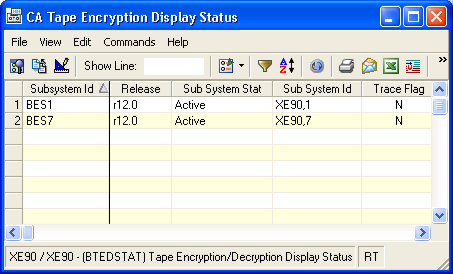
The Tape Encryption/Decryption Display Status window displays the status of all the parameters and details of the cryptographic environment for each subsystem. It displays the same information as the display status command. Among other things, the display provides information about:
Note: The routines are shared because all active address spaces use them.
To open the display
The Object Tree is displayed in the Windows Client showing the CA Tape Encryption objects.
The Tape Encryption/Decryption Display Status window opens, as shown in the following sample:
 to view detailed information associated with a line item.
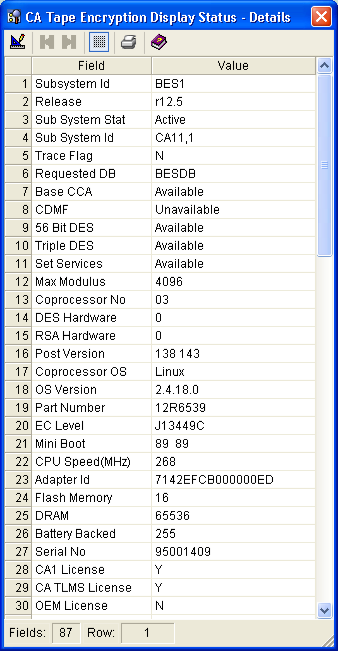
The Tape Encryption/Decryption Display Status - Details window opens, as shown in the following sample:
| Copyright © 2010 CA. All rights reserved. | Tell Technical Publications how we can improve this information |