

|
|
|
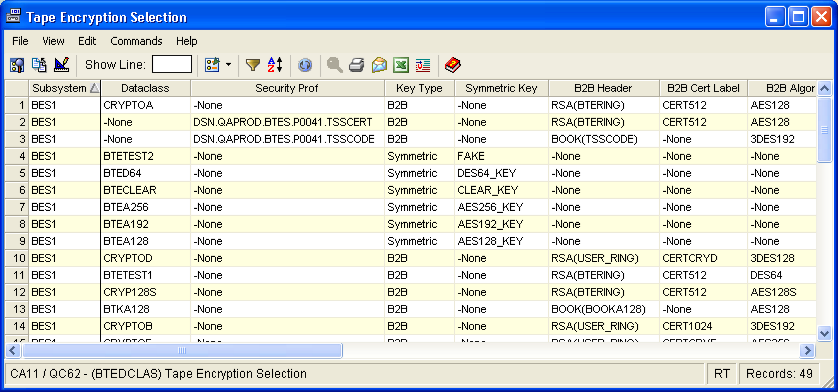
The Encryption Selection window displays criteria used to select datasets to be encrypted. This information can come from the SMS data classes with appropriate encryption keywords described in the description field or from the external security system where profiles beginning with “DSN.” have been defined.
The Encryption Selection object can help you troubleshoot data set set selection problems. For instance, if you set up a data class but misspell a key name, so that the name does not match any of the keys in the CA Tape Encryption parmlib, you can use this display to check the key name spelling. Similarly, you can use this display to verify the external security system definitions for selection, verifying the dataset name and the CA Tape Encryption keywords associated with the security profile.
To open the display
The Object Tree is displayed in the Windows Client showing the CA Tape Encryption objects.
The EncryptionSelection window opens, as shown in the following sample:
| Copyright © 2010 CA. All rights reserved. | Tell Technical Publications how we can improve this information |