

|
|
|
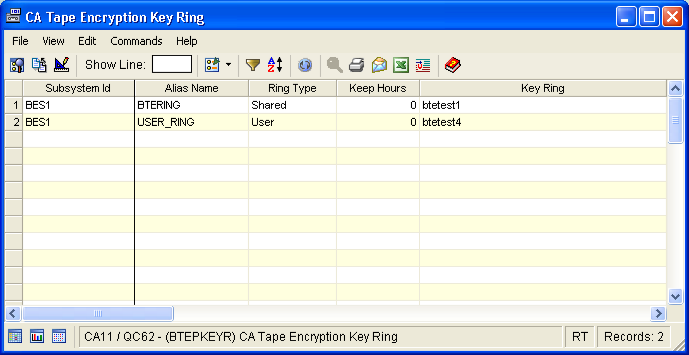
The Tape Encryption Key Ring window displays all the key rings for all subsystems. It displays the Key Rings defined through your external security system, including the digital certificates CA Tape Encryption uses in creating B2B tapes. Key Rings are created, protected, and managed by the external security system. Use this window to display the names of the Key Rings that contain the digital certificates used by CA Tape Encryption. To access the digital certificates you must use the facilities provided by your security system.
To open the display
The Object Tree is displayed in the Windows Client showing the CA Tape Encryption objects.
The Tape Encryption Key Ring window opens, as shown in the following sample:
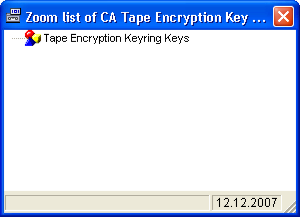
The Zoom list of Tape Encryption Key Ring dialog opens, as shown in the following sample:
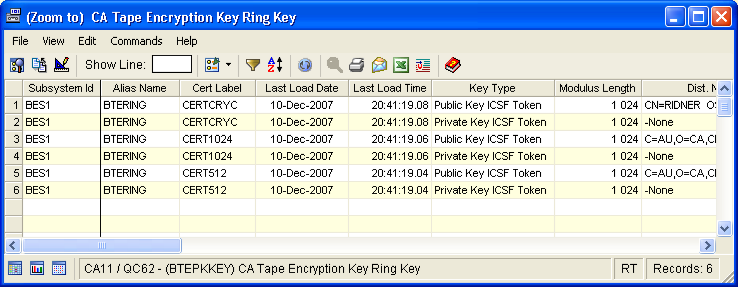
The (Zoom to) Tape Encryption Key Ring Key dialog opens. This display provides additional details about the selected key ring, such as its key type and module length, as shown in the following sample:
| Copyright © 2010 CA. All rights reserved. | Tell Technical Publications how we can improve this information |