

|
|
|
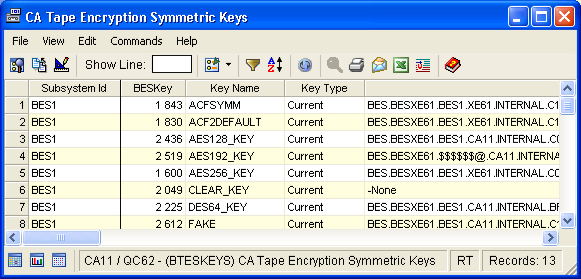
The Tape Encryption Symmetric Keys window displays the current key instance for each key defined to the active subsystems. The window includes a number of useful fields that are captured from the Symmetric Keys definitions in parmlib, including Key Name, Key Type, Key Index, Number of Generations, Algorithm used, How often the key is regenerated (Weekly, Monthly or Yearly), and Date the key was generated. To view all symmetric key details scroll right and left.
To open the display
The Object Tree is displayed in the Windows Client showing the CA Tape Encryption objects.
The Tape Encryption Symmetric Keys object opens as shown in the following sample:
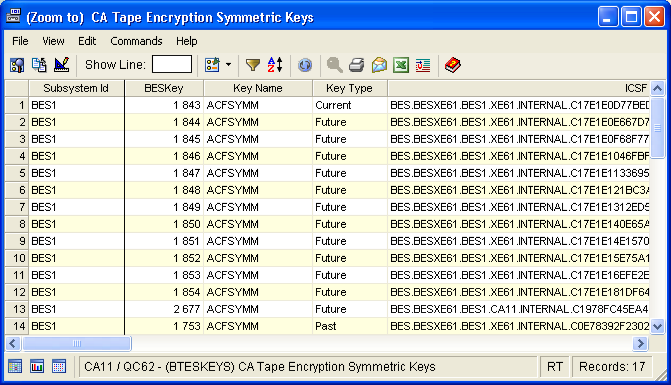
The (Zoom to) Tape Encryption Symmetric Keys window opens displaying all generations of the selected key. For example, if you have requested that 7 generations of a key be always kept in advance, the window displays at least 8 key instances. The first key in the table is the Current key, followed by Future and Past keys. The following is a sample of the (Zoom to) Tape Encryption Symmetric Keys window:
| Copyright © 2010 CA. All rights reserved. | Tell Technical Publications how we can improve this information |