

A Quick Tour of CA SRM › Classifying Storage Objects › Creating a New Class Definition
Creating a New Class Definition
The following steps describe how to create a class for volumes. To create a class for volumes using the Class Builder wizard:
- In the CA SRM Object Tree, click Classes. Select Configuration, and then New in the Classes file menu. The CA SRM Class Builder dialog opens:
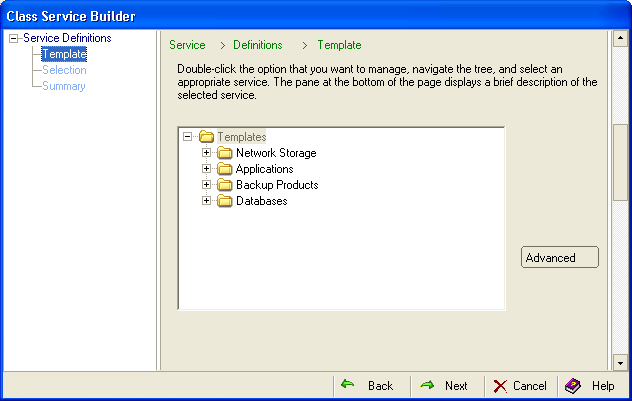
- Select Network Storage, Managed Computers, and then highlight the first item in the list, Computers.
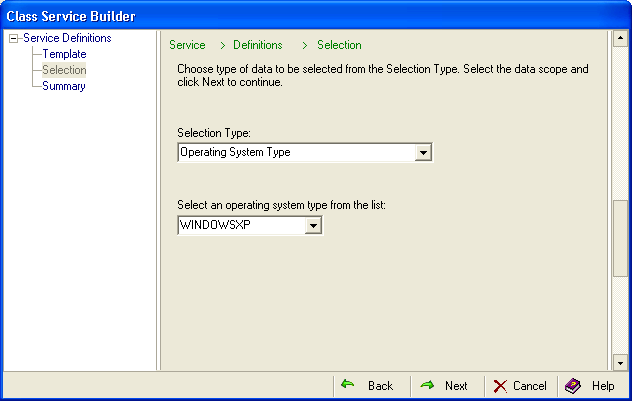
- Select Operating System Type from the Selection Type drop-down list and WINDOWS XP from the operating system list:
- Click Save in the Summary dialog. The Class Name and Description dialog opens:
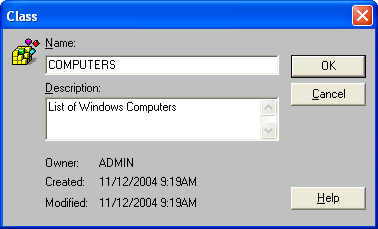
- Supply the following information:
- Name—WINDOWS_COMPUTERS
- Description—List of Windows computers
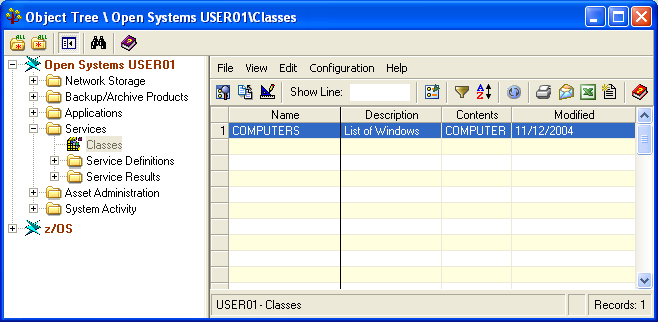
- Click OK. CA SRM verifies your class definition, saves it and opens the Classes table, which now contains your new definition:
Copyright © 2016 CA Technologies.
All rights reserved.
|
|