

Reports › How to Use the Reporting Features › Modify a Report
Modify a Report
This procedure is a generic example of how you might use Infoview to modify an existing report.
To modify an existing report
- Access a report and click Modify.
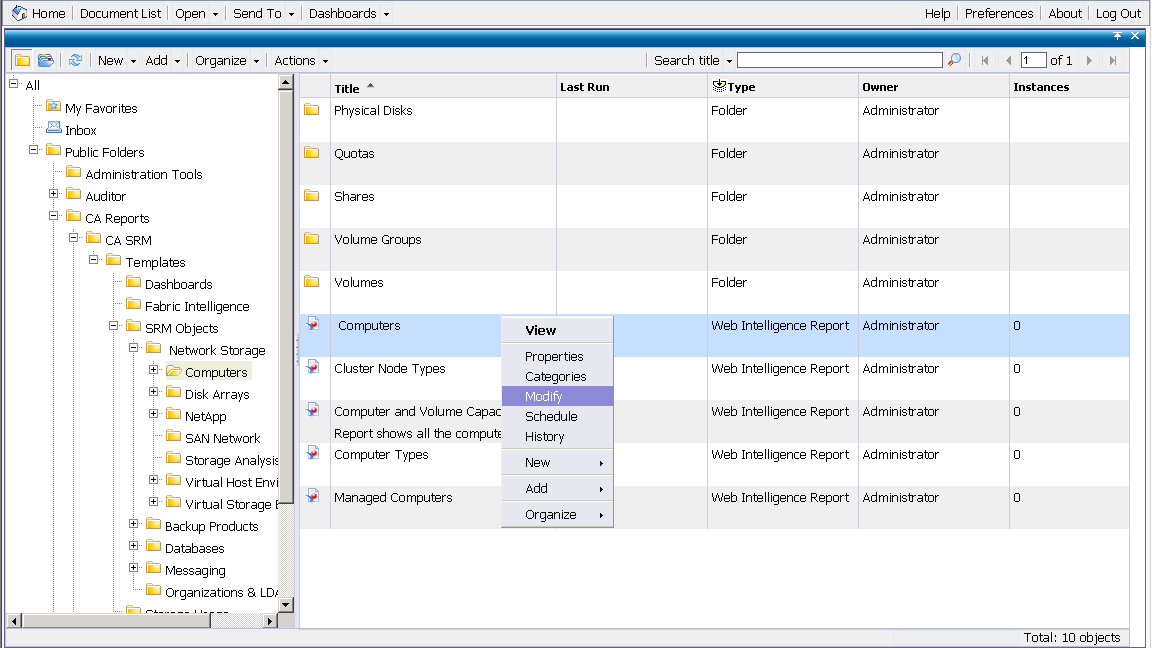
- Click Edit Report and then Edit Query
- Add or delete objects as necessary from the left pane and then click Run Query.
- Add Query filters if necessary.
- After adding/deleting required objects from the left pane, click Edit Report and add/delete the objects from the table view respectively.
- Modify the report layout where necessary by adding new rows and adding breaks.
- Click Save.
If you want to retain the old version of the report, select Save As and give this report a new title.
Copyright © 2013 CA.
All rights reserved.
|
|