

You can use the User-Defined View List option to list and manage User Views within a single window. You can invoke the User-Defined View List option by clicking the User-Defined View List icon on the Windows Client main menu tool bar or by selecting the User-Defined View List option from the Windows Client main menu Tools Menu option.
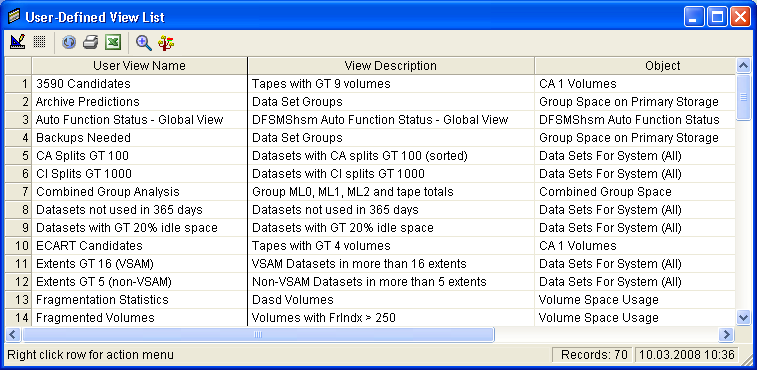
The User-Defined View List option provides a complete list of all your User Views, including factory supplied User Views. The User View list can be printed or exported to Excel. A User View can be opened by selecting a line and then clicking the Open View icon on the tool bar. If you are unsure of where the User View is located in the Object Tree then you can select a User View in the list and click the Find View in Object Tree icon. By right clicking a User View in the list you are able to delete it, rename it, or save it as a new User View.
Note: For more information about the User-Defined View List option, see the section User-Defined View List.
The following is an example of the User-Defined View List window:
|
Copyright © 2013 CA.
All rights reserved.
|
|