

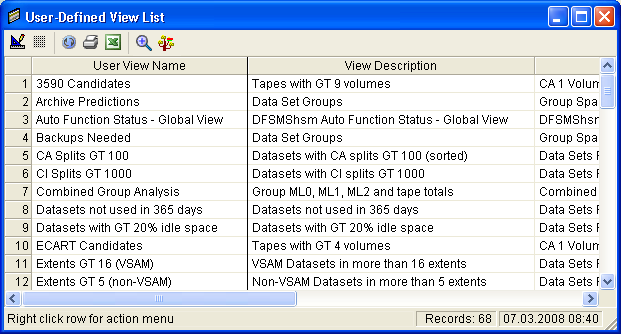
You can use the User-Defined View List option to manage User Views within a single window. The User-Defined View List option provides a complete list of all your User Views, including factory supplied User Views. The User View list can be printed or exported to Excel. A User View can be opened by selecting a line and then clicking the Open View icon on the tool bar. If you are unsure of where the view is located in the Object Tree then you can select a User View in the list and click the Find View in Object Tree icon. By right clicking a User View in the list you are able to delete it, rename it, or save it as a new User View.
The User-Defined View List option can be invoked by either clicking the User-Defined View List icon from the Main Menu or selecting the Main Menu Tools option then clicking the User-Defined View List option.
Note: For more information about the User-Defined View List option, see the section User-Defined View List.
The following is an example of the User-Defined View List window:
|
Copyright © 2013 CA.
All rights reserved.
|
|