

The Consoles View options are shown in the following example:
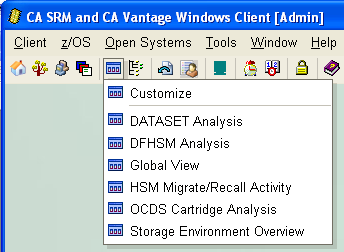
Consoles let you monitor numerous object attributes across any or all the hosts to which the Windows Client is connected and display them in one table. You can use a Console configured to monitor all the critical storage pressure points in an organization to provide you with a quick snapshot of the overall health of your organization.
For example, an administrator responsible for Oracle and Exchange activity across five hosts in an organization may want to know if and when:
You can configure a Console in which the first five rows are reserved for your organization's hosts and two columns in the table are User Views that report on Oracle tables over 100 MB in size and Exchange mailboxes over 5 MB in size. You can also design the Console to highlight instances in a specific color when they exceed a condition you define in the User View.
Note: For more information about Consoles, see the chapter "Working with Windows Client Consoles" in the CA Vantage SRM User Guide.
|
Copyright © 2013 CA.
All rights reserved.
|
|