

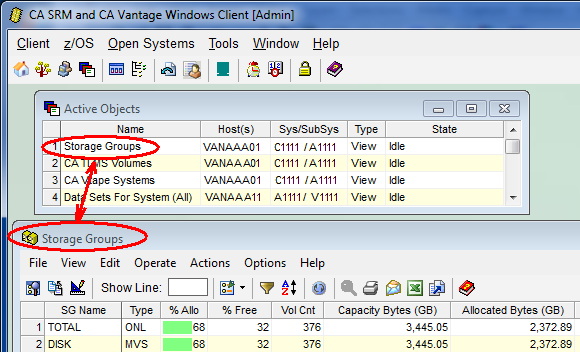
The Active Objects view provides a convenient way to see a list of all the objects and windows currently open in your Windows Client. You can use it to display or bring forward any object view in the list. If any log collectors are active, they will also be listed. The window displays the name of the object, the host to which it belongs, the type of display (table, graph, or list), and the object's state.
If you click any object in the list shown in the Active Objects dialog then it is brought forward and displayed. In the following example we clicked the Storage Groups object in the Active Objects dialog and the Windows Client brought forward and displayed the Storage Group User View.
|
Copyright © 2013 CA.
All rights reserved.
|
|