

User Views › Object Menu Bar › Options Menu › View and Output Definition Wizard › Headers and Footers
Headers and Footers
You can create headers and footers for your report using the Headers/Footers page of the View and Output Definition wizard.
To create headers and footers for your report
- In the left pane click Header/Footer. The Header/Footer page is displayed, as shown on the following example:
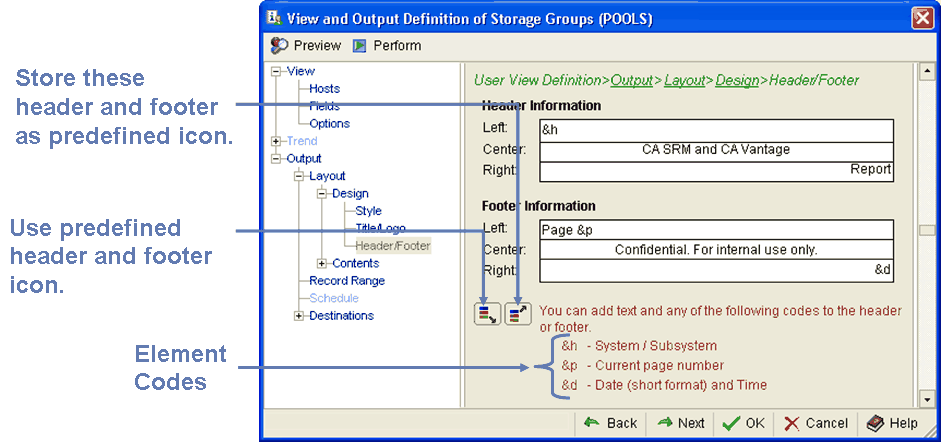
- Use the element codes provided by the page instructions to define the headers and footers for your report.
- When you have made changes you can select the “Store these header & footer as predefined” icon, this will save the changes as the predefined header and footer. Or you can revert back to the previously defined header and footer by selecting the “Use predefined header & footer” icon.
- Click OK to save your settings.
Copyright © 2013 CA.
All rights reserved.
|
|