

Configuring and Using Diagnostic Tools › How to Track Alerts and CIs from CA Spectrum to CA SOI Using Debug Logs › How to Track Alerts from CA Spectrum to CA SOI Using Debug Logs › View Logs to Track the Flow of Alerts › View Alert_RAW File
View Alert_RAW File
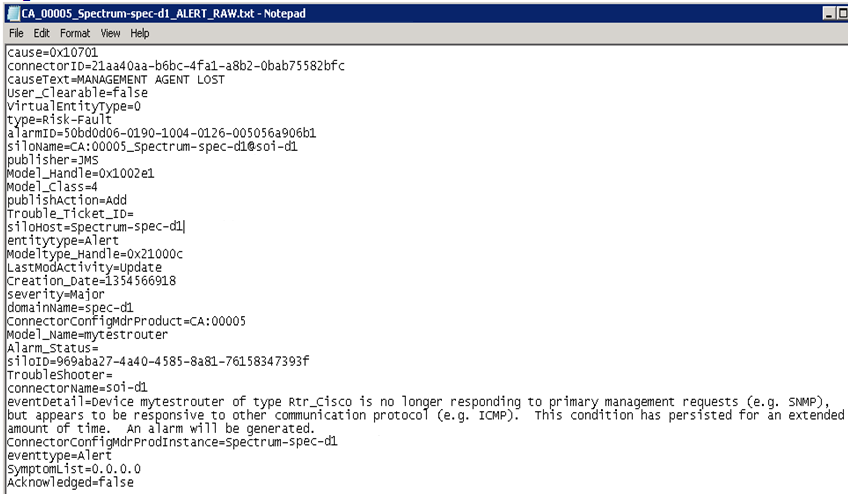
The Alert_RAW file contains raw alerts coming from CA Spectrum. The information in this file also signifies that the alert that was generated in CA Spectrum has been sent successfully to the CA Spectrum connector.
Therefore, if you see your particular alert in this file, it implies that the alert has been sent from CA Spectrum to the connector.
Follow these steps:
- Navigate to the SOI_HOME\log\debugData folder on the server where the CA Spectrum connector is installed.
- Open the CA_00005_Spectrum-<SShostname>_Alert_RAW.txt file.
Note: SShostname specifies the host name of the CA Spectrum server.
- Verify that the new MANAGEMENT AGENT LOST alert is present in the CA_00005_Spectrum-<SShostname>_Alert_RAW.txt file as shown in the following screenshot:
Copyright © 2013 CA.
All rights reserved.
|
|