

To save the graph or pie chart
The Performance Manager Save Graph or Save Pie dialog box is displayed, as shown in the following screen:
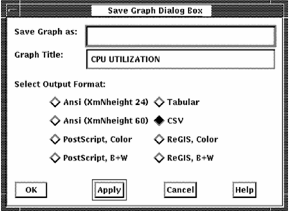
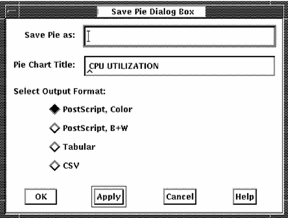
The Save Graph or Save Pie dialog boxes allow you to do the following actions:
More output formats are available for graphs than for pie charts.
|
Copyright © 2008 CA.
All rights reserved.
|
|