

Performance Manager allows a panel to be activated, or launched, from an instrument within a different panel. In addition, a data item can be passed to the launched panel. This data item (the instance value) can then be used in a subsequent filtering of information displayed in the launched panel's instruments.
To assign launch panels:
Performance Manager displays a Launch Panel Selection dialog as shown in the following screen:
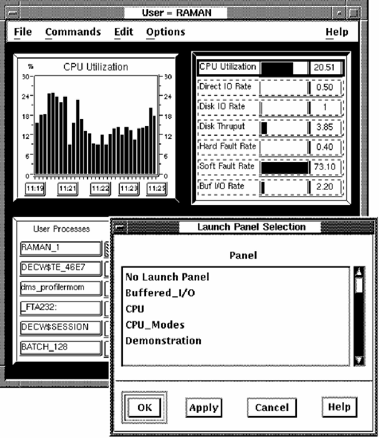
When you chose assign launch panel, the first metric field in the instrument to be assigned a launch panel will appear with a solid outline. If the instrument has more than one field that can launch panels, these appear with a dashed outline.
|
Copyright © 2008 CA.
All rights reserved.
|
|