

|
|
|
The update installer generates an additional copy of the updated CA OM Web Viewer in terms of a pair of WAR files (CAOMWebViewer12.war and the supplementary WAR file castylesr5.1.3.war) into a folder specified in this panel.
The additional copy is a backup of the updated CA OM Web Viewer and might be useful in case the target being updated is locked by some other process.
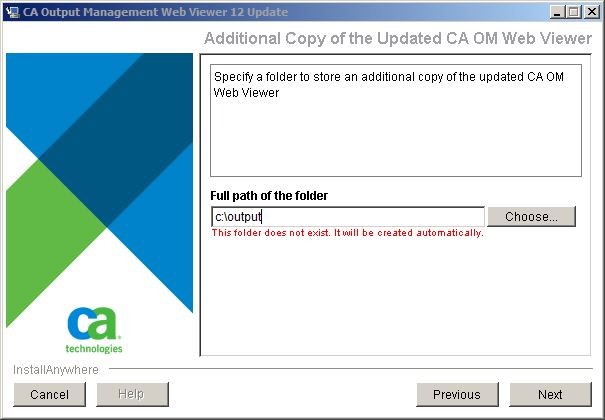
Note: Make sure you have write permission to the folder. The update installer also checks to see if this folder exists. If this folder does not exist, it is created after installation starts.
| Copyright © 2011 CA. All rights reserved. |
|