

|
|
|
The IP Traffic Summary summarizes your IP network traffic.
From the IP Summary Display, you can access the following IP traffic summaries (when sorted by system). You can also sort the summaries by stacks.
Example: IP Traffic for Defined Business Applications
This example shows a partially expanded display. The display lists the defined business applications that have IP traffic on the system.
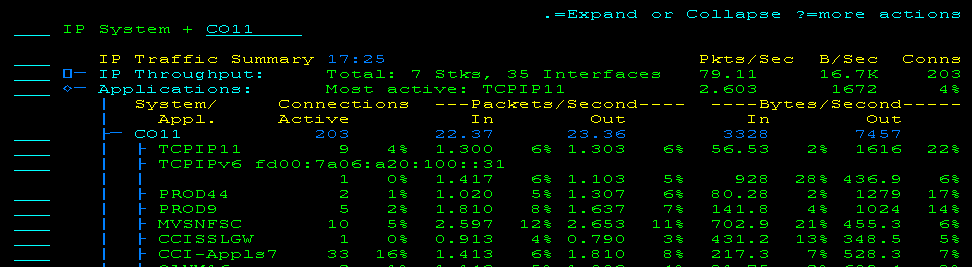
During Express Setup, you can request that business applications be defined for the discovered address spaces. You can also define applications manually through the Maintain Application Name Definitions menu option. The shortcut is /IPAPPLS.
Note: For more information about business applications, see the Implementation Guide.
| Copyright © 2012 CA. All rights reserved. |
|