

You can open a hidden view as needed. There are two ways of opening a view:
To open a view using the Window menu
A list of views is displayed as shown in the following illustration:
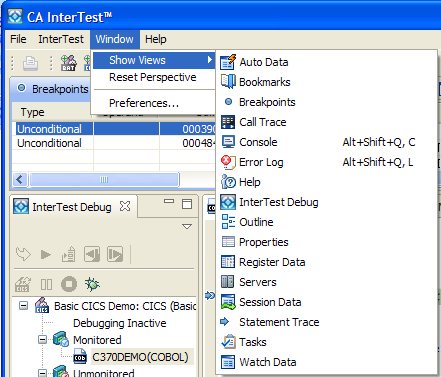
The selected view is displayed in the CA InterTest main window.
To open a view using the shortcut keys
A pop-up menu opens that lets you select and open the following views:
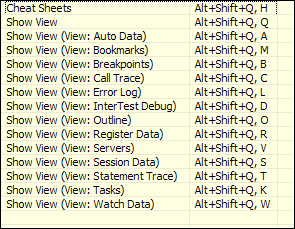
For example, pressing the letter A will open the Auto Data view.
|
Copyright © 2015 CA Technologies.
All rights reserved.
|
|