

At an unconditional breakpoint, the program stops at the location you specify, just before the statement is executed. Let us see how to set a breakpoint at the following IF statement. You set unconditional breakpoints directly on the Program Listing area.
Follow these steps:
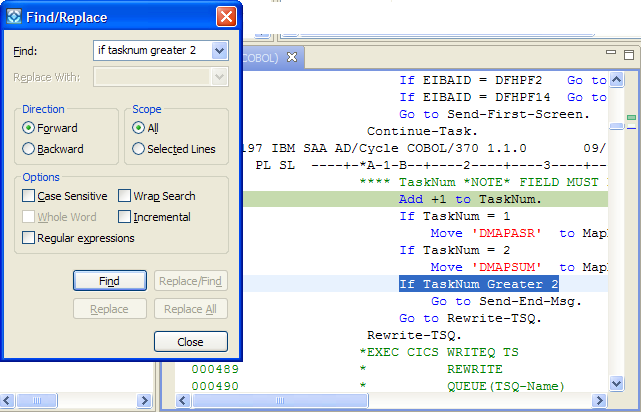
The Find/Replace dialog opens.
The demo program positions itself so that the line you searched for appears in the program listing.
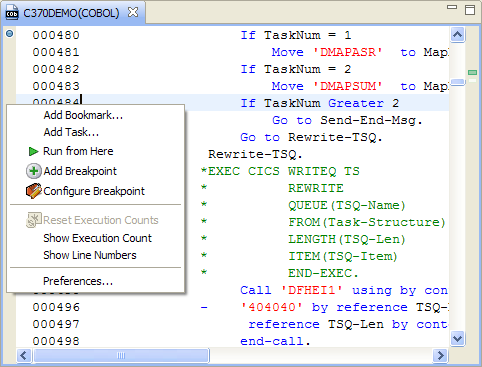
A blue circle appears to the left of the ruler, and a blue mark appears in the right-side vertical ruler. By default, the Add Breakpoint dialog adds an unconditional breakpoint if the listing line is within the Procedure Division, and a variable change breakpoint if the line is within the Data Division.
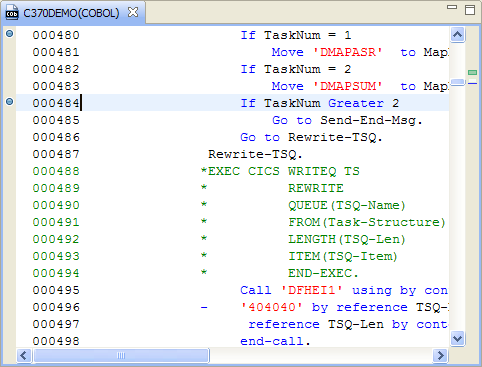
Note: You cannot add a breakpoint in a comment line or outside the source code section.
|
Copyright © 2015 CA Technologies.
All rights reserved.
|
|