

You can use a process workflow (for example, CA Process Automation) to submit a Data Importer data import for processing instead of using the CA APM user interface.
Note: You can create a data import process workflow using a company-provided sample XML file and integrating with CA Process Automation. For more information about this integration, see the Implementation Guide.
The following diagram illustrates how a system administrator submits a data import using a process workflow:
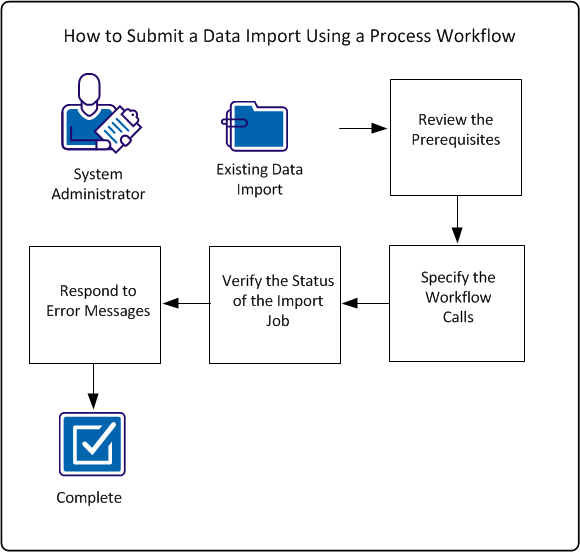
To submit a data import using a process workflow, perform these steps:
Example: Import New Hardware Devices through a Process Workflow
Sam, the CA APM system administrator at Document Management Company, has defined a business process workflow. The workflow discovers new hardware devices, adds the new devices to the company data repository, and runs reports about the new devices. Sam has already created a data import in CA APM that adds the new hardware devices to the data repository. Sam wants to execute that data import at a specific point in his overall workflow. He wants to integrate the data import with his overall business process workflow. Sam wants the data import to execute at the time that the workflow specifies without the user logging in to the product user interface. Sam updates his business process workflow to include calls to the CA APM web service operations for the Data Importer.
|
Copyright © 2013 CA.
All rights reserved.
|
|