

When you create a table procedure specification, Quick Bridge automatically creates SQL column names for each field (record element) you select for the table procedure. If a synonym for language SQL is defined for the record element, this will be used. Otherwise the default SQL column name is the same as the field name, except that it replaces underscores (_) for hyphens (-). If the default name exceeds 18 characters or is already used elsewhere in the table procedure specification, Quick Bridge notifies you and lets you type an appropriate name.
To edit an SQL column name
To view SQL column names already in use by the table procedure specification
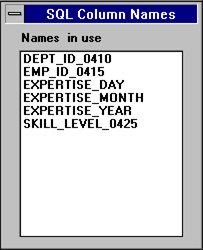
Select the SQL Column Names Currently In Use command on the Help menu. Quick Bridge displays a window, such as the one following that lists the names already in use.
|
Copyright © 2013 CA.
All rights reserved.
|
|