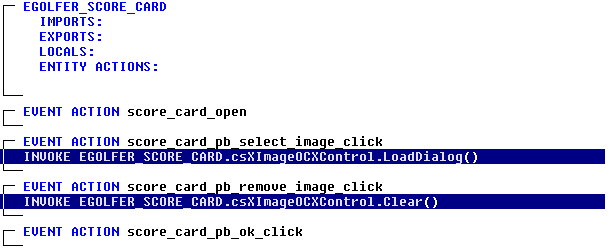
To remove an image from the display, we need only invoke the OCX Controls Clear method.
In the eGolfer Score Card action diagram, select the score_card_pb_remove_image_click event.
Add the Invoke statement.
In the Add Statement dialog select Window Object and then EGOLFER_SCORE_CARD.csXImageOCXControl (OLEControl). You will be presented with the OLE Object Browser dialog.
In the list of Methods scroll down and select the Clear method.
Then click OK and then click the Add Statement Add push button. Your diagram will now look as follows: