

BLOB › Design › Client Design › Layout the window design › Add the window open event
Add the window open event
Follow these steps:
When this window opens, if there is a SCORE CARD already associated with the SCORING RECORD, we want it to be displayed. To make this happen we will add an OPEN event to the window. When the window is opened, it will trigger the OPEN event and inside that event we will place the logic necessary to go and get the image if it exists.
- Select the eGolfer Score Card title bar to get focus on the window.
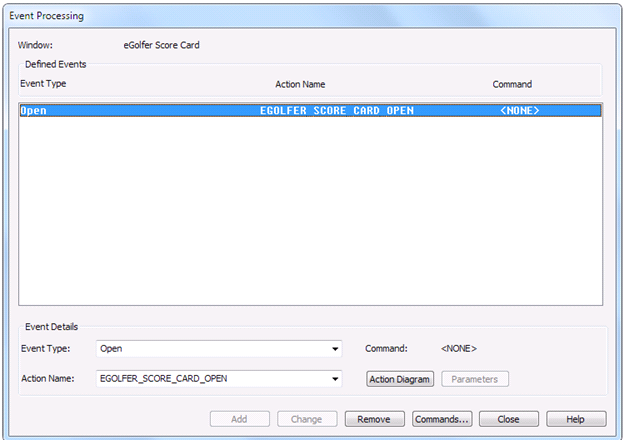
- From the Menu Bar select Detail, Events. In the Event Processing dialog change the Event Type dropdown to Open. Click Add. The event is created and added to the list of Event Types associated with this window. The Event Processing dialog will look as follows:
- On the Event Processing dialog click Close.
Copyright © 2013 CA.
All rights reserved.
|
|